 Free two-page cheat sheet
27 voice direction tricks that make AI narration sound human.
The distance between a flat synthetic read and a performance is usually punctuation and pause placement, not the voice you picked. Audiobook producers, podcasters, and video creators use these 27 moves to fix a robotic narration in one editing pass.
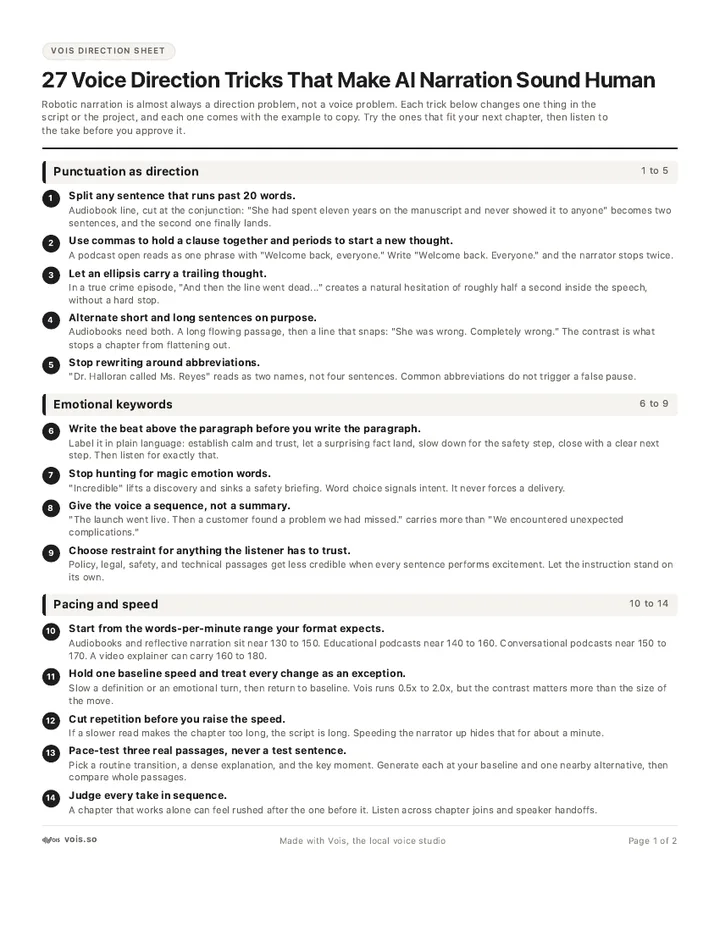
- Punctuation as direction
- Emotional keywords
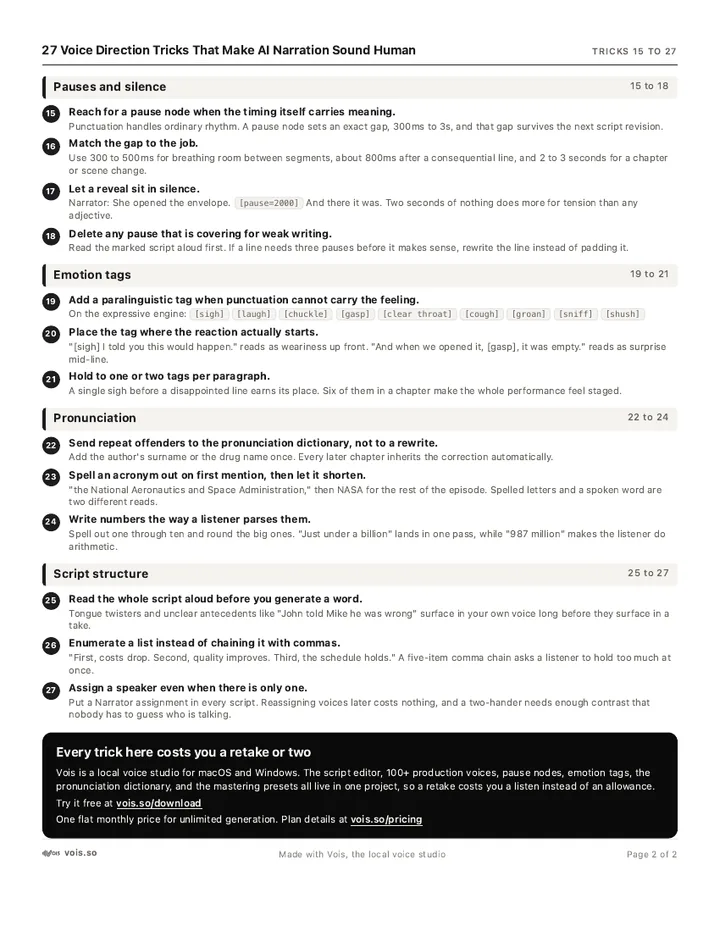
- Pacing and pauses
We will email the download link plus three short follow-ups, and Studio Notes twice a week. One click unsubscribes from everything.

The three fixes that do the most work
Each trick is one line you can apply to a script you already have. Nothing here needs a new tool.



- 1A comma is a short breath, a period is a full stop.
- 2Say the feeling in the line, then let emotion tags carry it.
- 3Break any sentence a narrator could not read in one breath.
- 4Put the pause where the listener needs to catch up, not where the text ends.
- 5Fix a name once in the pronunciation dictionary instead of twelve retakes.
The other 22 are in the PDF, grouped so you can scan for the problem you have right now.
This is the actual cheat sheet.
Two pages, US Letter, print ready. Punctuation as direction on one side, emotion tags and pacing on the other, made to sit next to the keyboard.
The tricks work anywhere. They are faster with a studio on your desk.
Direction takes several passes. In Vois, generation runs on your own computer, so you can re-read a line until the pause sits right without watching a character meter. Emotion tags, a pronunciation dictionary, and export presets are part of the same window.
Or read the pricing page first at vois.so/pricing.